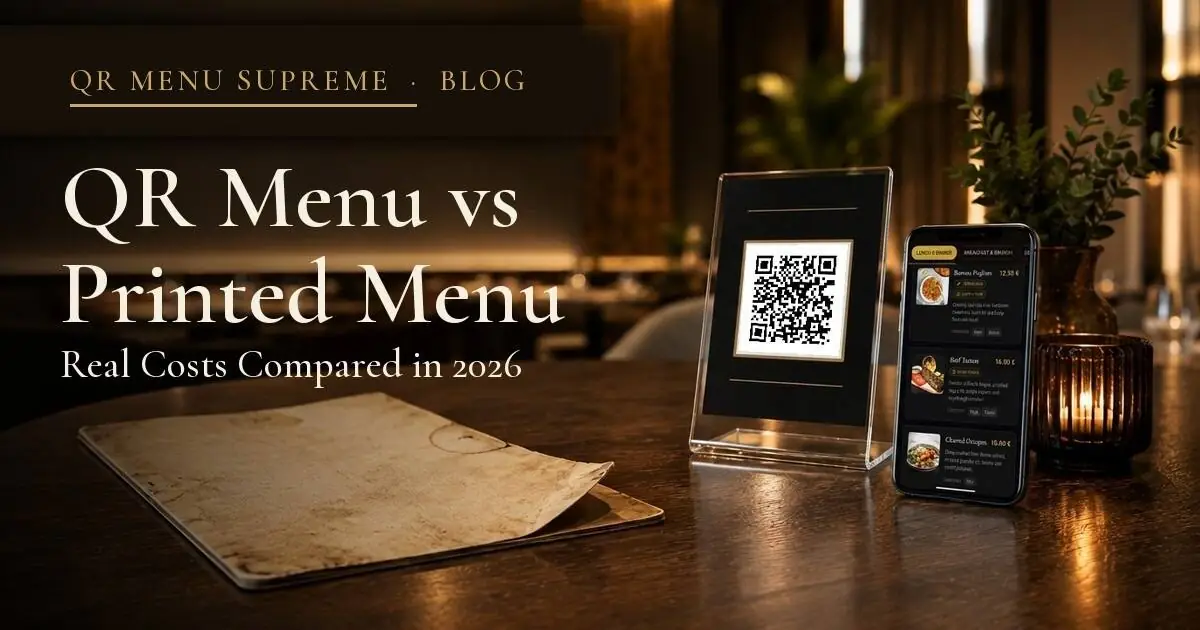
QR Menu vs Printed Menu: Real Costs Compared in 2026
Printing menus costs more than most restaurant owners realize. Here's a full breakdown of what printed menus actually cost vs QR menus, year by year.
The Bill You're Paying Without Noticing
Most independent restaurant owners know roughly what they spend on food, rent, and staff. Ask them what they spend on menus every year, and the answer is usually a shrug.
That's not unusual. Menu printing is one of those costs that arrives in irregular invoices, gets approved quickly, and disappears into the operating expense line without much scrutiny. A few hundred dollars here, a reprint after a price change there; it doesn't feel significant until you add it up across 12 months.
For a small restaurant or café with 20 to 40 covers, the actual annual cost of printed menus, including design updates, reprints after menu changes, replacement of damaged copies, and seasonal variations, typically runs between $500 and $2,000 per year. For bars and restaurants that update their drinks menu regularly, it can go higher.
QR menus eliminate most of that. But "eliminate printing costs" is only part of the story. The more honest comparison looks at total cost of ownership on both sides: what printed menus actually cost across a full year, what a QR menu platform costs, and where the real financial difference shows up, which isn't always where owners expect.
This article breaks that down for small independent restaurants, cafés, and bars, the operations where the cost decision is made by the owner, not a finance team.
How to Think About This Comparison
Before getting into numbers, it helps to separate costs into two categories:
Hard costs: things you pay directly: printing invoices, software subscriptions, design fees.
Soft costs: time and friction, the hour spent reformatting a PDF before sending it to the printer, the two weeks you run an old menu because the new one hasn't arrived yet, the server who has to explain that a dish is no longer available because the menu hasn't been updated.
Most cost comparisons between QR and printed menus only count hard costs. That makes printed menus look cheaper than they are. A full comparison needs to include both.
The criteria used to evaluate each option:
- Initial setup cost: what does it cost to get started?
- Ongoing monthly/annual cost: what's the recurring expense?
- Cost per menu change: what happens every time something on the menu changes?
- Replacement and maintenance cost: what's the cost of wear, damage, and loss?
- Time cost: how many hours per year does each option consume?
- Guest experience impact: does the menu format affect how guests interact with it?
The Real Cost of Printed Menus
Initial design and print run
For a small restaurant launching with a new printed menu, the starting point is design and an initial print run. A professionally designed menu costs between $200 and $600 depending on complexity. Printing 30 to 50 laminated or bound copies typically adds another $150 to $400.
So the starting investment for a basic printed menu setup runs roughly $350 to $1,000 before a single guest sits down.
Some owners skip the professional design and use templates, which reduces cost but usually shows in the result. Others use the same printer for years and have a working relationship that keeps costs down. Neither scenario changes the underlying math dramatically.
Reprints after menu changes
This is where printed menus become expensive in practice.
A restaurant that changes its menu seasonally, four times per year, pays for four reprints. A café that adjusts coffee prices once or twice a year reprints twice. A bar that rotates its cocktail list monthly reprints twelve times.
Each reprint, even a small one, typically costs $100 to $300 depending on quantity and print quality. Over a year, a restaurant with moderate menu changes might spend $400 to $800 on reprints alone, on top of the initial investment.
And that doesn't account for emergency reprints: a supplier stops delivering an ingredient, a dish gets pulled, a price needs to change immediately. Those happen outside the normal schedule and carry rush fees from some printers.
Replacement of damaged menus
Menus get damaged. Laminated menus crack at the edges. Bound menus lose pages. A busy weekend service leaves menus stained or torn. For a restaurant running 40 covers, replacing 20% of menus annually is a reasonable estimate: roughly $60 to $150 per year just in replacements.
This is a small number, but it's recurring and easy to forget.
The hidden time cost
Here's the number that almost never appears in any cost comparison: the time spent managing printed menus.
- Noticing the menu needs updating: 30 minutes
- Creating or revising the design file: 1 to 3 hours
- Coordinating with the printer, approving a proof, waiting for delivery: 2 to 5 days of elapsed time, plus 1 to 2 hours of back-and-forth
- Distributing new menus and retiring old ones: 30 minutes
For a restaurant that goes through this process four times a year, that's roughly 8 to 15 hours of owner or manager time annually, time that could go elsewhere.
Annual cost summary: printed menus
| Cost category | Estimated annual cost |
|---|---|
| Initial design (amortized over 3 years) | $100 – $200 |
| Reprints (4× per year, 40 copies) | $400 – $800 |
| Replacement of damaged menus | $60 – $150 |
| Rush reprint (1× per year, average) | $100 – $200 |
| Owner/manager time (10 hrs × $30/hr) | $300 |
| Total | $960 – $1,650/year |
These are conservative estimates for a small restaurant. The real number at the high end is higher.
The Real Cost of a QR Menu
Initial setup
For most QR menu platforms, setup is the lowest-cost part of the equation. Platforms like QR Menu Supreme offer a free plan, which means the initial financial outlay can be zero.
Even on paid plans, there's no print run to commission, no designer to brief for a physical format, and no waiting period. A restaurant can go from zero to a live digital menu in a single session.
For the physical side, printing QR codes and placing them on tables, the cost is minimal. A set of table tent cards or stickers with QR codes printed at a local print shop runs $20 to $60 for a full restaurant setup. These are durable, don't need replacing when the menu changes, and last for years.
Initial setup cost: $0 to $60 for the QR codes themselves. Software setup: free on entry-level plans.
Ongoing subscription cost
QR menu platforms charge monthly or annual subscriptions. Entry-level paid plans for small restaurants typically range from $0 (free plans with limited features) to $19 to $149 per month for full functionality including ordering and payment.
For a restaurant that needs only digital menu display, a free or low-cost plan is sufficient. For one that wants table-side ordering and integrated payment, which is where the real operational benefit is, a paid plan is necessary.
At $19/month, the annual cost is $228/year. At the higher end of the range, a plan at $149/month comes to $1,788/year; though at that price point, you're no longer paying for a digital menu alone. You're getting a complete ordering and payment system, which is a different category of tool entirely.
Cost per menu change
This is where the comparison shifts sharply.
Changing a QR menu costs nothing in money and takes minutes in time. Log in, update the item or price, save. The change is live immediately across every table in the restaurant. No printer, no waiting, no reprinting fee, no elapsed days.
For a restaurant that changes its menu four times a year, the cost of those changes on a QR platform is effectively $0 in money and roughly 15 to 30 minutes of time per update.
Replacement and maintenance
QR codes placed on tables don't need to be replaced when the menu changes, they link to the same URL, which always serves the current version of the menu. The only replacement scenario is physical damage to the table tent or sticker, which costs a few dollars per unit to replace.
Annual replacement cost: approximately $10 to $20.
Annual cost summary: QR menu
| Cost category | Estimated annual cost |
|---|---|
| QR code printing (table tents, amortized) | $10 – $20 |
| Software subscription (mid-tier paid plan) | $0 – $600 |
| Menu updates (time cost, 4× per year) | $30 – $60 |
| Total | $40 – $680/year |
On the free plan, the annual cost is under $100. On a mid-tier paid plan, it sits between $400 and $700, still meaningfully below the typical printed menu cost for a restaurant that makes regular updates.
Side-by-Side Comparison
| Category | Printed Menu | QR Menu |
|---|---|---|
| Initial setup cost | $350 – $1,000 | $0 – $60 |
| Annual ongoing cost | $560 – $1,350 | $0 – $600 |
| Cost per menu change | $100 – $300 + days | $0 + minutes |
| Replacement cost | $60 – $150/year | $10 – $20/year |
| Time cost per year | 8 – 15 hours | 1 – 2 hours |
| Instant updates | ❌ | ✅ |
| Multilingual support | ❌ (reprint required) | ✅ |
| Online ordering possible | ❌ | ✅ (platform dependent) |
| Works in all lighting | ✅ | ✅ (phone screen) |
| Guest needs a phone | ❌ | ✅ |
Where Printed Menus Still Win
This isn't a one-sided argument. There are genuine scenarios where printed menus remain the better choice or a necessary complement.
Older guest demographics. Restaurants where a significant portion of guests are older or less comfortable with smartphones may see friction with QR menus. Not every guest will scan a code, and a restaurant that removes physical menus entirely risks alienating part of its audience.
Fine dining and premium positioning. Some high-end restaurants use a beautifully printed menu as part of the experience: a physical artifact that contributes to the atmosphere. In those contexts, the menu is a design object, not just a functional list.
No reliable Wi-Fi. QR menus require a working internet connection on the guest's device. A restaurant with poor Wi-Fi and a location with weak mobile signal can create a frustrating experience.
Backup option. Even restaurants that use QR menus primarily should keep a small number of printed backups for guests who need them.
Frequently Asked Questions
Is a free QR menu good enough for a small restaurant?
The free plan is a good starting point: it lets you experience the core functionality and see how guests respond to a digital menu before committing to anything. That said, for most small restaurants the entry-level paid plan at $19/month covers nearly everything they'll actually need: full menu display, updates, and the basics of daily operation. The free tier is best treated as a trial; the $19 plan is where the real value starts.
What happens if a guest doesn't have a smartphone?
This is the most common objection to QR menus, and there are two straightforward answers. First, keep 5 to 10 printed copies as backup: a simple printed sheet or a small laminated card covers the edge case without requiring a full print run. Second, consider keeping one spare phone at the host station or bar. It costs nothing if you already have an old device, and it lets staff hand a guest a phone with the menu already loaded, a solution that feels more hospitable than handing over a crumpled backup sheet.
Can I keep a printed menu and add a QR menu?
Yes, and many restaurants do this during the transition. Running both simultaneously for 3 to 6 months lets you observe guest behavior and staff comfort before committing fully. The QR menu handles digital updates while the printed backup handles outliers.
How long does it take to set up a QR menu?
For a simple menu on most platforms, 1 to 3 hours covers the full setup: entering menu items, organizing categories, customizing the design, and generating the QR code. Some platforms take longer if you want to add photos for every item.
Do I need to reprint the QR code if I change the menu?
No. The QR code links to a URL, and the URL always serves the current version of your menu. You can change the menu as many times as you want; the QR code on the table stays the same.
Conclusion
The cost comparison between printed and QR menus isn't close for most small independent restaurants, cafés, and bars; particularly those that change their menu more than once or twice a year.
Printed menus carry a compounding cost: the initial design and print run, reprints after every change, replacement of damaged copies, and the time spent coordinating with printers. A realistic annual total for a small restaurant sits between $1,000 and $1,650, not counting the operational friction of delayed updates.
QR menus reduce that substantially. On a free plan, the annual cost is close to zero beyond the initial QR code printing. A full-featured paid plan with ordering and payment includes capabilities that printed menus can't offer at any price, like instant updates, multilingual display, and table-side ordering.
The one honest caveat: QR menus don't work for every guest in every context. A small backup stock of printed menus handles the exceptions.
QR Menu Supreme offers a free plan that covers digital menu display for restaurants that want to test the switch without a financial commitment. For restaurants ready to add online ordering and payment, paid plans are available without per-order commissions, which makes the cost calculation straightforward: a flat monthly fee, no surprises per transaction. Explore the plans at qrmenusupreme.com.
If you're still printing menus regularly, the numbers above are worth revisiting against your own invoices. The gap is usually larger than it looks.
See a live QR menu in 10 seconds
Browse the showcase demo restaurant, built with QR Menu Supreme.