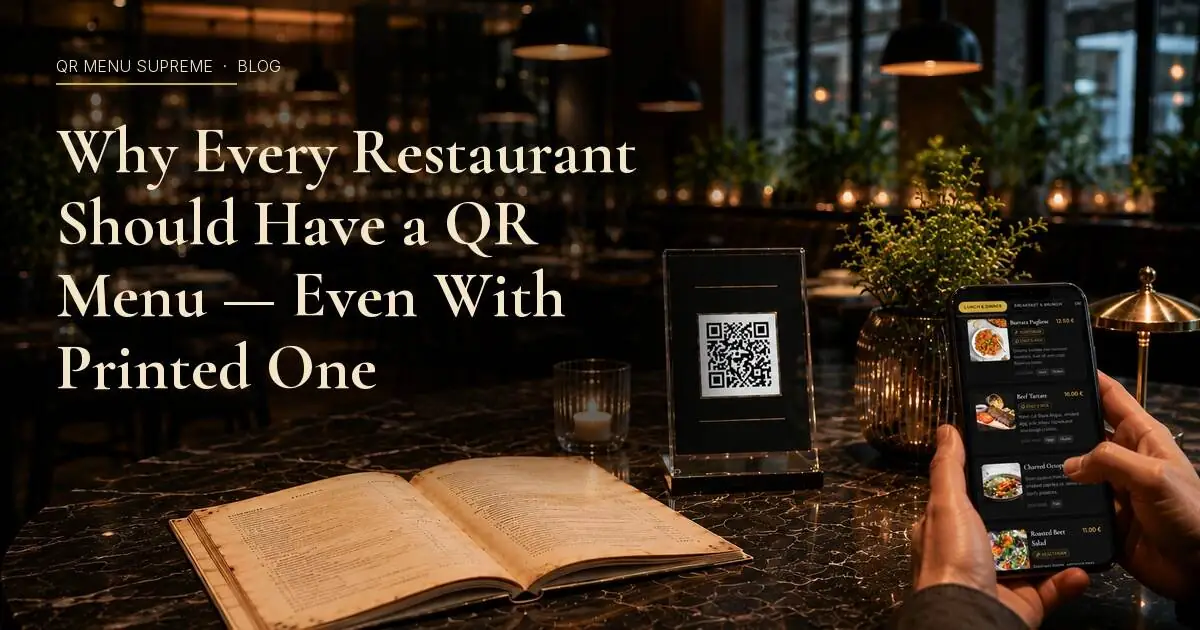
Why Every Restaurant Should Have a QR Menu (Even If You're Keeping the Printed One)
Not ready to ditch your printed menu? You don't have to. Here's why running both is smarter than choosing one, and what you gain from the QR side of the equation.
You Don't Have to Choose
There's a common assumption in the conversation around digital menus: that switching to QR means giving up physical menus entirely. Either you go digital or you stay traditional.
That assumption is wrong, and it's holding a lot of restaurant owners back from a decision that would cost them almost nothing and give them something valuable in return.
The smarter move, especially for independent restaurants, cafés, and bars that have built a loyal following around their atmosphere and service style, is to run both. Keep the printed menu exactly as it is. Add a QR menu alongside it.
This isn't a compromise. It's a deliberate choice that solves several real problems at once, and it's how most restaurants that make the transition actually do it in practice. They don't throw out the printed menus on day one. They add a QR option to every table, watch how guests respond, and adjust from there.
What follows is a practical case for why a QR menu is worth adding even if you have no intention of replacing your physical one, and what you actually gain from having both.
What We're Evaluating
The question here isn't "QR or printed?" It's: what does a restaurant gain by adding a QR menu to an operation that already has physical menus?
To answer that clearly, it helps to look at the benefits across a few dimensions:
- Operational efficiency: what becomes easier for the team?
- Guest experience: what improves for the people sitting at the table?
- Revenue impact: does it change what or how much guests order?
- Cost: what does it actually cost to add?
- Flexibility: what becomes possible that wasn't before?
The Case for Adding a QR Menu Without Removing the Printed One
1. Your printed menu goes out of date. Your QR menu never does.
This is the most practical argument, and it applies to every restaurant regardless of size or style.
A printed menu is a snapshot in time. The moment it comes back from the printer, it starts aging. An ingredient becomes unavailable. A supplier changes. You add a seasonal dish, adjust a price, or pull something that isn't moving. The printed menu doesn't know any of this, and until the next reprint, neither do your guests.
The gap between what's printed and what's actually available creates friction: servers explaining what's off the menu, guests ordering something that can't be made, kitchens managing expectations that the front of house set incorrectly.
A QR menu lives online. You update it in minutes, from any device, and the change is live immediately on every table in the restaurant. The printed menu stays as is: you don't reprint just because one dish changed. The QR version carries the current version, and guests who scan it always see what's actually available today.
Running both means your printed menu handles the atmosphere and the first impression, while your QR menu handles accuracy.
2. It covers the guests your printed menu can't serve well
Not every guest has the same experience with a physical menu. Some guests have difficulty reading small print in dim lighting, a situation that describes most dinner service in most restaurants. Others are traveling and don't read the language the menu is printed in. Others have specific dietary needs and want to filter quickly without reading through every description.
A QR menu handles all of this in ways a printed menu structurally cannot:
- Guests can increase the font size on their own phone
- Platforms like QR Menu Supreme detect the guest's device or browser language automatically on a first visit, while still allowing a saved manual language switch
- Allergen and dietary information can be displayed clearly without cluttering the printed design
- Photos of dishes can be included without the cost of printing full-color pages
None of this requires removing the printed menu. It simply means that guests who are underserved by a physical format have an alternative at the same table, without needing to ask staff for help.
3. It gives you data your printed menu never could
A printed menu is a one-way communication. It tells guests what's available. It gives you nothing back.
A QR menu, depending on the platform and the plan, can tell you which items guests look at most, which categories get the most attention, how long guests spend on the menu before ordering, and which dishes generate the most interest relative to how often they're ordered.
This isn't surveillance; it's the same kind of data that any online business takes for granted. For a restaurant, it's genuinely useful: it can inform which dishes to promote, which to reconsider, and how to organize the menu to guide guests toward higher-margin items.
4. It opens the door to ordering and payment without forcing a system change
One of the most significant advantages of a QR menu platform with ordering capability is that it doesn't require you to change your service model on day one.
You can start with display-only: guests scan, browse the menu, and still order through staff as they always have. The QR menu is simply a better version of what they're already holding.
Later, when you're ready and if you choose, you can enable ordering. At that point, each table gets its own unique QR code so the system knows which table is placing the order. Guests scan, add items to their cart, and place the order directly. Staff focus on delivery and hospitality rather than order-taking. The transition happens at your pace, not because a platform forced it.
The same applies to payment. A platform that supports table-side payment through the QR code means guests can settle the bill when they're ready, without waiting for staff to bring the check. For a busy Friday night, that's a meaningful improvement in table turnover and guest satisfaction. But you don't have to enable it until you want to.
QR Menu Supreme is built to support both modes (display-only and full ordering with payment), so restaurants can start where they're comfortable and expand the functionality when it makes sense for their operation.
5. It costs almost nothing to add
The financial barrier to adding a QR menu alongside a printed one is minimal.
A free plan covers the basics for restaurants that want to test the format without committing to a subscription. The physical setup (QR code printed on a table tent, a small card, or a sticker) costs a few dollars per table and doesn't need to be replaced when the menu changes.
The total cost of adding a QR menu to a restaurant that already has printed menus is, in most cases, under $50 for the first year if you start on a free plan. That number doesn't change if the menu changes ten times: updates are free and immediate.
The question isn't whether you can afford to add a QR menu. For most restaurants, the question is why you haven't yet.
6. It prepares your restaurant for guests who expect it
Guest expectations around digital menus have shifted considerably since 2020. A growing segment of diners, particularly younger guests and international travelers, now look for a QR code on the table as a matter of habit. Some actively prefer it to a physical menu.
Having a QR option available signals that your restaurant is current, organized, and thinking about the guest experience beyond the physical space. It's a small signal, but it's a real one.
More practically: a guest who wants to check the menu before they arrive, share it with friends when planning where to eat, or look something up after the meal has no way to do that with a printed menu. A QR menu that links to a live digital version solves all three, and that link can be shared anywhere, from an Instagram story to a Google Maps listing.
The Only Real Reason Not to Add One
There is one legitimate reason to hold off: if your operation doesn't have reliable Wi-Fi and your location has poor mobile coverage, the guest experience on a QR menu will be inconsistent. Guests who scan the code and wait for a slow page to load will not have a good impression.
The fix is straightforward (ensure your Wi-Fi covers the dining area), but it's worth acknowledging as a genuine prerequisite rather than a minor footnote.
Everything else that comes up as an objection ("our guests are older," "it doesn't fit our brand," "it's too complicated to set up") is either solved by running both formats simultaneously (older guests use the printed menu; others use the QR) or by the reality that modern platforms are fast to set up and don't require technical expertise.
Comparison: Printed Only vs. Printed + QR
| Capability | Printed Menu Only | Printed + QR Menu |
|---|---|---|
| Menu always up to date | ❌ | ✅ |
| Works for guests with visual impairments | Limited | ✅ (font scaling) |
| Multilingual support | ❌ (reprint required) | ✅ |
| Dish photos included | Expensive | ✅ (free to add) |
| Ordering through QR possible | ❌ | ✅ (when ready) |
| Table-side payment possible | ❌ | ✅ (when ready) |
| Menu shareable online | ❌ | ✅ |
| Cost to add | n/a | $0 – $50/year to start |
| Setup time | n/a | 1 – 3 hours |
Frequently Asked Questions
Will guests find it confusing to have both a printed menu and a QR code on the table?
Not in practice. Most guests will gravitate toward whichever format they prefer: some will pick up the printed menu immediately, others will scan the code. Having both available rarely creates confusion; it removes friction for guests who have a preference either way.
Do I need to keep the QR menu and the printed menu perfectly in sync?
Ideally, yes, but the point of having both is that the QR menu can carry updates that the printed version doesn't yet reflect. The QR menu is the source of truth for what's currently available. The printed menu sets the visual tone and handles guests who prefer a physical format.
Can I add a QR menu without any technical knowledge?
Yes. Most platforms, including QR Menu Supreme, are designed for restaurant owners without a technical background. Setup involves entering your menu items, organizing them into categories, and generating a QR code, with no coding or web development required.
What if I only want the QR menu for display, not for ordering?
That's a completely valid starting point. Display-only mode means guests scan, browse, and order through staff as usual. You gain the accuracy and accessibility benefits without changing your service model at all. Ordering can be enabled later if you decide to.
How do I introduce the QR menu to my staff and guests?
Staff introduction is straightforward: explain that the QR code on the table links to the current menu, and that it's an option for guests who prefer it, not a replacement for anything they currently do. For guests, a small card or table tent with a brief note ("Scan for our digital menu") is usually sufficient. Most guests don't need further explanation.
Conclusion
The choice between a printed menu and a QR menu is presented as binary more often than it should be. In practice, the most sensible option for the majority of independent restaurants, cafés, and bars is to have both.
The printed menu carries what it has always carried: the atmosphere, the tactile experience, the visual identity of the restaurant. The QR menu carries what a printed menu structurally cannot: real-time accuracy, multilingual access, dietary filtering, dish photos, the option for ordering and payment when you're ready, and a link that can be shared anywhere online.
Adding a QR menu to an operation that already has printed menus costs almost nothing to start, takes a few hours to set up, and doesn't require changing anything about how the restaurant currently runs.
QR Menu Supreme supports both modes from day one: display-only for restaurants that want to start gradually, and full ordering with integrated payment for those ready to go further. The transition happens at your pace. You can start on the free plan, see how your guests respond, and expand from there. Explore the plans at qrmenusupreme.com.
The question isn't whether a QR menu fits your restaurant. It's how long you want to wait before finding out what you've been missing.
See a live QR menu in 10 seconds
Browse the showcase demo restaurant, built with QR Menu Supreme.