How to Get More Google Reviews for Your Restaurant (Without Breaking the Rules)
Forty-eight covers, one new review
At 10:35 on Friday night, the last four-top pays and leaves. The dining room served 48 covers. Two guests praised the lamb, one asked for the manager to compliment a server, and a birthday table took a photograph by the door.
On Saturday morning, one new Google review appears.
The missing reviews do not mean the other guests were unhappy. Most people simply went home. The restaurant gave them no clear moment, no direct link and no easy way back once the evening was over.
That is the practical answer to how to get more Google reviews for a restaurant: make the invitation easy to find, ask at the right moment and use the same neutral route for every genuine customer. Do not buy praise. Do not send only delighted guests to Google. Do not turn the end of dinner into a five-star sales pitch.
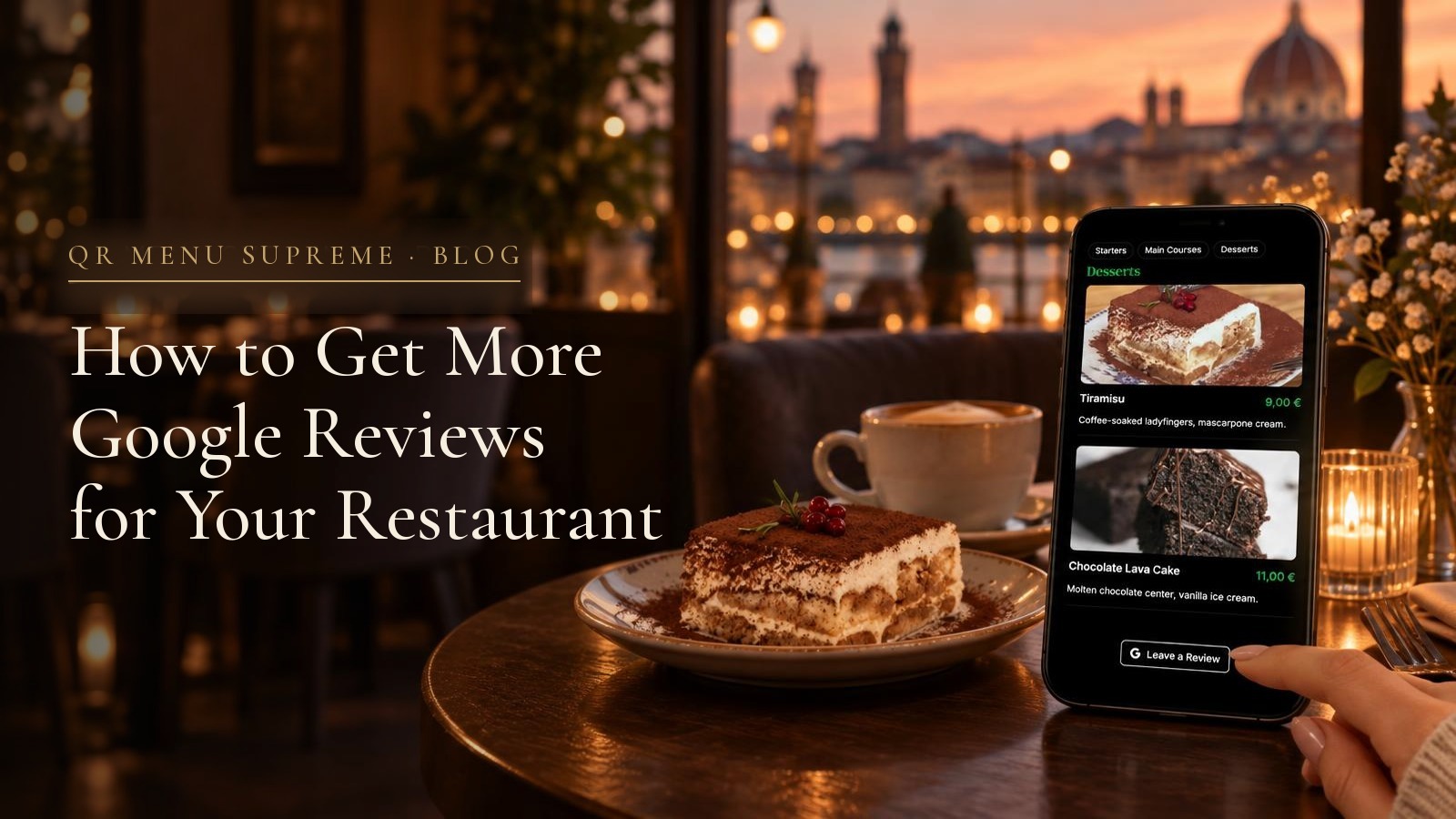
QR Menu Supreme puts a Leave a Review button at the bottom of the digital menu. The restaurant adds its own Google review link once, and the button is available on every plan, including Free. A guest who already used the menu does not need another QR code, another card or an app.
This guide covers:
- why the number of reviews matters,
- what Google permits and prohibits,
- what the US Federal Trade Commission rule from 2024 changes,
- what the UK rules in force from April 2025 require,
- when staff should and should not ask,
- the exact words to use, and
- how to add the review button to a QR menu.
It is an operating guide, not legal advice.
Why more Google reviews help a restaurant
Reviews do two different jobs.
First, they help a person decide. A guest choosing between two nearby restaurants can see recent comments about the food, service, atmosphere and value before opening either menu. A steady run of real reviews shows what the restaurant is like now. Twenty reviews written across the last six weeks tell a more useful story than 200 reviews followed by a year of silence.
Second, reviews are one part of local visibility. Google says local results are mainly based on relevance, distance and prominence. Its own Business Profile guidance says that more reviews and positive ratings can help local ranking. No restaurant can buy a better position, and reviews do not override distance or relevance. They can, however, strengthen the profile a nearby customer sees.
The useful goal is therefore not a perfect score. It is a current, credible record of real meals.
That distinction matters. A page made of nothing but short five-star reviews can look managed. Google itself tells businesses to value all reviews and says that a mix of positive and negative feedback often feels more trustworthy.
The shortest safe rule
If the review will appear on Google, use the strictest rule in the room:
Invite a genuine customer to share an honest experience. Offer nothing in return. Do not ask for five stars, suggest what to write or hide the link from an unhappy guest.
This approach fits Google's platform policy and avoids the main problems addressed by the FTC in the United States and the CMA in the United Kingdom.
| Practice | US FTC rule | UK rules from April 2025 | Use it? | |
|---|---|---|---|---|
| Ask a genuine customer for an honest review | Allowed | Allowed | Allowed | Yes |
| Put a direct review link on the menu or receipt | Allowed | Allowed | Allowed | Yes |
| Offer a dessert, discount or loyalty stamp for a Google review | Prohibited | A sentiment-based reward is prohibited; other incentives raise disclosure issues | A hidden incentive is prohibited | No |
| Ask only guests who say they had a great meal | Prohibited selective solicitation | FTC guidance warns against asking only customers expected to be positive | Can create a misleading picture | No |
| Ask for five stars or tell the guest what to mention | Prohibited rating manipulation | Can become deceptive or sentiment-conditioned | Can become misleading | No |
| Ask staff, family or suppliers to pose as customers | Conflict or fake engagement | Insider connections must be disclosed, and fake reviews are prohibited | A review not based on a genuine experience is fake | No |
| Collect private feedback, then give everyone the same Google link | Allowed if the public request is not gated | Allowed | Allowed | Yes |
The laws differ in their wording. Google's rule is the simplest standard for a Google campaign because it is stricter than the law in some places. A neutral incentive may not be automatically banned by one legal rule, but Google still prohibits incentives for Google reviews. The platform rule decides what belongs on the platform.
What Google allows
Google expressly allows a business to remind customers to leave a review. It provides a direct review link and a QR code inside the Business Profile, and suggests putting the link on receipts, in thank-you emails, at the end of a chat or on a sign in the business.
A restaurant can therefore:
- add a Leave a Review button to its digital menu,
- place the direct link on an electronic receipt,
- make one polite request after the meal,
- send the link in a permitted thank-you message,
- reply to positive and negative reviews, and
- flag a review that breaks Google's content rules.
The request should be neutral. These work:
Would you like to share your experience? You can leave an honest Google review using the button at the bottom of our menu.
Thank you for visiting. If you would like to leave feedback, here is our Google review link.
The word honest is useful because it tells the guest what the restaurant actually wants. It also protects the team from drifting into "Please give us five stars," which is not the same request.
What Google prohibits
Google's policy is not limited to obviously fake reviews. It also covers the ways a genuine customer can be pushed toward a biased one.
No reward for posting
Do not offer a free dessert, a discount on the next visit, a loyalty stamp, entry into a prize draw or any other benefit in exchange for a Google review. Google prohibits incentives for posting, changing or removing a review.
The word honest does not rescue the offer. "Leave an honest review and get 10 percent off" is still an incentive for a review.
Keep the loyalty program and the review request separate. A guest can earn a loyalty reward for a purchase or a visit. The reward should not depend on whether the guest opens Google, writes anything or changes a rating.
No review gating
Review gating is the two-door method:
- Ask, "How was your meal?"
- Send a happy guest to Google.
- Send an unhappy guest to a private form or the manager.
It looks tidy because complaints stay private and praise goes public. Google prohibits it because the restaurant is selectively soliciting positive reviews.
Private feedback is still useful. Ask every guest the service question so the team can fix problems. Just do not make the answer decide who sees the public review link. The Leave a Review button can remain available to everyone.
No five-star script
Do not ask for a five-star review, suggest a rating or tell the guest to mention the server by name. Google says merchants should not request specific content, and it specifically warns against staff targets for reviews that identify a member of staff.
That means these common lines should go:
- "If you loved dinner, please give us five stars."
- "Mention Anna in your review and she gets a bonus."
- "Only scan this if everything was perfect."
- "Show us your review for a free coffee."
One sentence can turn a valid request into rating manipulation.
No pressure at the table
Do not stand over a guest while they write. Do not ask to see the screen. Do not bring the payment terminal and review link as if both must be completed before the guest can leave.
Google says businesses should not require or pressure users to leave a rating or review while on the premises. The invitation can happen in the restaurant. The writing belongs to the guest, in their own time.
Google can remove reviews that break these rules. For serious fake-engagement violations, it can also stop a Business Profile receiving new reviews for a period, unpublish existing reviews or show a warning that fake reviews were removed.
What the FTC's 2024 rule means in the United States
The FTC's Consumer Reviews and Testimonials Rule became fully effective on October 21, 2024. It gives the agency a direct route to seek civil penalties for practices covered by the rule.
For a restaurant, the important parts are straightforward:
- Do not write, buy or arrange fake reviews.
- Do not pay or reward someone for a review that must express a particular positive or negative sentiment.
- Do not use reviews from owners, managers or other insiders without a clear disclosure of the relationship.
- Do not suppress negative reviews with threats, intimidation or false accusations.
The rule draws an important line around incentives. It prohibits compensation or another incentive that is expressly or implicitly conditioned on a particular sentiment. "Get a $20 voucher for a five-star review" is the obvious example.
The FTC rule does not make every neutral incentive automatically unlawful. Other truth-in-advertising duties can still require the reviewer to disclose it, and a platform can set a stricter standard. Google does. For Google reviews, the practical answer remains simple: offer no incentive at all.
The FTC also warns marketers not to ask only customers they expect to be positive. Even where a narrow legal provision does not use the term review gating, a filtered request can mislead readers about what customers actually experienced.
What changed in the United Kingdom in 2025
The review provisions of the Digital Markets, Competition and Consumers Act 2024 came into force on April 6, 2025. They made certain review practices automatically unfair and illegal.
The banned practice includes:
- submitting or commissioning a fake consumer review,
- submitting or commissioning a review that hides an incentive,
- publishing reviews or review information in a misleading way, and
- publishing reviews without reasonable and proportionate steps to prevent and remove fake reviews, concealed incentivised reviews and misleading review information.
For a restaurant asking for a Google review, two points matter most.
First, an incentive is broader than cash. It can be a discount, voucher, free item or another benefit. If a platform permits an incentivised review, the incentive must be clear to the reader. Google's platform does not permit it, so disclosure is not a route around Google's ban.
Second, a restaurant that republishes reviews on its own website should not turn them into a false picture. Removing every critical review while featuring only praise, or presenting an incentivised quote as spontaneous, can be misleading.
The same clean method works in the UK: a direct link, a neutral invitation, no reward and no filter based on how happy the guest appears.
When to ask for a restaurant review
The right moment is after the experience is complete but before it disappears from the guest's mind.
During the meal: fix the meal
The first check-back is for service, not marketing.
Is everything as you expected?
If the steak is overcooked or the drinks are late, the team needs the chance to put it right. Do not follow a complaint with a review request. Resolve the table because that is the work, not because a better rating might follow.
This is also where accurate menu information earns trust before the request is ever made. Clear ingredients, real photographs and menu descriptions that match the plate reduce avoidable surprises.
After payment: one neutral invitation
Once payment is complete, the server can point to the review button without asking for praise:
Thank you for coming. If you would like to share your experience, the review button is at the bottom of our menu.
Then stop. A second request feels like pressure. Asking while the guest is still trying to order dessert is too early. Asking while the server holds the card terminal is too close to an obligation.
On the digital menu: let the guest choose the moment
A permanent button is often better than a speech. It is visible to every genuine guest, not only the tables a server predicts will be positive. It stays out of the way while they choose food and remains available when they reach the bottom of the menu.
This is one reason the menu is the natural home for the link. Guests already scan it. Research on whether guests actually scan QR menus shows that using a code to view a menu is a different, easier decision from asking a guest to order or pay through one. The review button uses the visit the guest has already made.
In a follow-up: only where the message itself is permitted
Google suggests thank-you emails and the end of a chat as places for a review link. A restaurant should send those messages only where it already has a lawful basis and any consent required for that channel and location.
Use the same wording for the same group of guests. Do not send the link only to people who tapped "excellent" in a private survey.
One link in four useful places
The restaurant needs one direct Google review link. It can use that link in several places without creating four campaigns.
| Place | Best use | What to avoid |
|---|---|---|
| Bottom of the digital menu | Always available, equal for every guest, no extra paper | A pop-up that interrupts ordering |
| Receipt | Quiet reminder after payment | A discount tied to posting |
| Thank-you email or message | Reaches the guest after the visit | Sending without the permission required for that channel |
| Small sign by the exit | Useful for takeaway and counter service | A second table QR code that competes with the menu code |
For a dine-in restaurant, the menu button is the cleanest starting point. There is no need to print a separate "review QR code" beside the menu QR code. Two codes create a question before the guest has even ordered: which one should I scan?
Keep the table code for the menu. Put the review link inside it.
Add the Google review button to QR Menu Supreme
The setup takes one link and a few minutes.
1. Copy the direct link from Google
On a computer:
- Open the restaurant's Google Business Profile.
- Select Read reviews.
- Select Get more reviews.
- Copy the review link.
Google also offers a QR code there, but the direct link is what the digital menu needs.
2. Add it to the menu
In QR Menu Supreme:
- Open the Dashboard.
- Go to Settings.
- Find Social Links.
- Paste the full link into Google Review URL.
- Save the section.
Only links that have been filled in appear. Once saved, the guest menu shows a Google icon and Leave a Review at the bottom. The button opens the restaurant's Google review page in a new tab. On a translated menu, the button label is translated with the rest of the guest interface.
The feature is available on every QR Menu Supreme plan:
| Plan | Google review button |
|---|---|
| Free | Included |
| Starter | Included |
| Pro | Included |
| White Label | Included |
| Max | Included |
It is not an upgrade feature. Free is the $0 test plan, with one menu and up to 20 saved items, and the review button can be tested there before the menu goes onto every table. The guide to what a free QR code menu includes explains the Free limits and the move to Starter.
3. Test the destination
Open the guest menu as a guest, not inside the editor. Scroll to the bottom and press Leave a Review.
Check three things:
- the correct restaurant opens,
- Google offers the review box for that location, and
- the link does not stop on a search-results page for a restaurant with a similar name.
If the business has several locations, each location needs the review link for its own Google Business Profile. A review for the city-center restaurant should not land on the airport profile.
If the rest of the menu is not ready yet, the step-by-step guide to creating a QR code menu covers the full guest test, from importing the dishes to scanning the printed code.
Give staff one sentence, not a target
A review campaign often goes wrong in the staff briefing.
"We need 30 five-star reviews this month" sounds measurable. It also encourages pressure, selective asking and scripts that name the server. Google specifically prohibits staff review quotas of this kind.
Give the team a standard instead:
After payment, guests may be told once that an honest review link is at the bottom of the menu. Do not ask for a rating, a staff name or proof that they posted.
Managers can still measure whether the restaurant is becoming easier to review. Record the total review count and average rating on the same day each week. Read the new reviews for repeated themes. Compare the number of new reviews with covers, but do not turn that ratio into a server contest.
The useful questions are operational:
- Are several guests saying the entrance is hard to find?
- Does the same dish arrive colder than expected?
- Is one shift repeatedly praised for clear allergen help?
- Do reviews mention a menu price that is no longer current?
Reviews become valuable when they change the restaurant, not when they merely increase the total beside its name.
Reply without turning the reply into an advert
Google recommends replying to reviews because it shows that feedback matters. The reply is public, so future guests read it too.
For a positive review:
Thank you, Maya. We are glad the team made the birthday dinner feel easy. We will pass your note about the lamb to the kitchen.
For a fair complaint:
Thank you for telling us. The wait you describe is not the service we planned for Friday, and we are reviewing how we seat the late tables. Please contact us at [private contact] so we can understand the timing without asking you to post personal details here.
Keep it short, specific and calm. Do not add a promotion. Do not reveal booking details, what the guest ordered or private conversations to prove them wrong.
Flag a review when it breaks Google's content policy, for example because it is about another business, contains harassment or comes from a clear conflict of interest. A low rating by itself is not a policy violation.
Negative reviews can point to a real fix. They can also make the whole profile more believable. The aim is not to remove every criticism. It is to show how the restaurant responds.
A 30-day plan that stays inside the rules
Day 1: make the route work
- Copy the direct link from the correct Google Business Profile.
- Add it under Settings > Social Links > Google Review URL.
- Test the button from the guest menu on a phone.
- Remove any old sign that promises a reward for a review.
Day 2: brief the team
- Use one neutral sentence after payment.
- Ask at most once.
- Never ask for five stars or a staff name.
- Never ask to see the completed review.
- Keep the link available to all guests, including those who raised a problem.
Week 1: add one quiet reminder
Choose one place besides the menu, usually the receipt or an allowed thank-you message. Do not cover the restaurant in review requests. One visible button and one reminder are enough.
Weeks 2 to 4: read and respond
- Reply to useful reviews in a human voice.
- Move private details into a private conversation.
- Note repeated operational issues.
- Update wrong menu information immediately.
- Flag only content that actually breaks policy.
At the end of 30 days, compare the number and recency of reviews with the previous month. More importantly, list the two changes the restaurant made because of what guests wrote.
Checklist before asking
The request
- It asks for an honest review, not a positive one
- It does not mention five stars
- It does not suggest what the guest should write
- It is offered without a discount, gift, loyalty stamp or prize
- It is not shown only after a positive private answer
- Staff ask once and do not watch the guest write
The link
- It opens the correct Google Business Profile
- Each location has its own link
- The Leave a Review button works from the guest menu
- The link is tested while logged out of the restaurant Dashboard
The follow-up
- Replies protect guest privacy
- Negative reviews are answered, not hidden merely because they are negative
- Reviews are flagged only for a real policy reason
- No member of staff is rewarded for a review count or rating
Frequently asked questions
Can a restaurant ask customers for Google reviews?
Yes. Google allows restaurants to invite customers with a genuine experience to leave an honest review. The request must not offer a reward, ask for a particular rating or direct only happy customers to Google.
Can I offer a free dessert or discount for a Google review?
No. Google prohibits money, discounts, free goods, services and other incentives in exchange for any review, not only a five-star review. Keep the Google request separate from loyalty rewards, competitions and discounts.
What is review gating?
Review gating means asking customers how they feel first, then showing the Google review link only to those who answer positively. Google prohibits selectively asking for positive reviews. Collect private feedback if it helps the restaurant, but give every genuine customer the same chance to leave a public review.
When should a restaurant ask for a Google review?
The best moment is after the meal and payment, when the experience is complete and the guest is not being interrupted. Ask once in neutral words. A permanent Leave a Review button at the bottom of the digital menu also lets guests choose their own moment.
How do I add a Google review button to my QR menu?
Copy the review link from your Google Business Profile, then open Settings and Social Links in QR Menu Supreme, paste it into Google Review URL and save. A Leave a Review button appears at the bottom of the guest menu.
Which QR Menu Supreme plans include the review button?
All of them. The Google review button is available on Free, Starter, Pro, White Label and Max. It is not locked behind a paid plan.
Conclusion
Go back to Friday night. The restaurant did not need 48 speeches or a free-dessert offer. It needed one honest route that every table could find.
The menu already sat on the guest's phone. With the Google link added, the bottom of that menu could carry a quiet Leave a Review button. The server could mention it once after payment, then leave the decision to the guest.
That is how a restaurant earns more reviews without manufacturing them: a complete experience, a neutral invitation and as little friction as possible. The reviews may not all be five stars. They will be more useful because they are real.
Upload your menu and test the review button on your phone with QR Menu Supreme. Free lets you test one menu with up to 20 saved items, and the Google review button is included on every plan.
Sources and editorial note
- Google Business Profile Help: Tips to get more reviews.
- Google Business Profile Help: Create a Google link or QR code to request reviews.
- Google Maps User Generated Content Policy: Prohibited and restricted content.
- Google Business Profile Help: Tips to improve your local ranking.
- US Federal Trade Commission: Trade Regulation Rule on the Use of Consumer Reviews and Testimonials, 16 CFR Part 465.
- US Federal Trade Commission: Soliciting and Paying for Online Reviews, a Guide for Marketers.
- UK Competition and Markets Authority: Fake reviews guidance, CMA208.
- Digital Markets, Competition and Consumers Act 2024, Schedule 20, paragraph 13.
Editorial note: Source and product review date: November 10, 2026. This article is an operating guide, not legal advice. Google can change its platform policies, and consumer-protection rules vary by country. Check the current rules where the restaurant trades. The restaurant in the opening is an illustrative scene, not a report on a real business. Product features reflect QR Menu Supreme on the review date and may change.
See a live QR menu in 10 seconds
Browse the showcase demo restaurant, built with QR Menu Supreme.