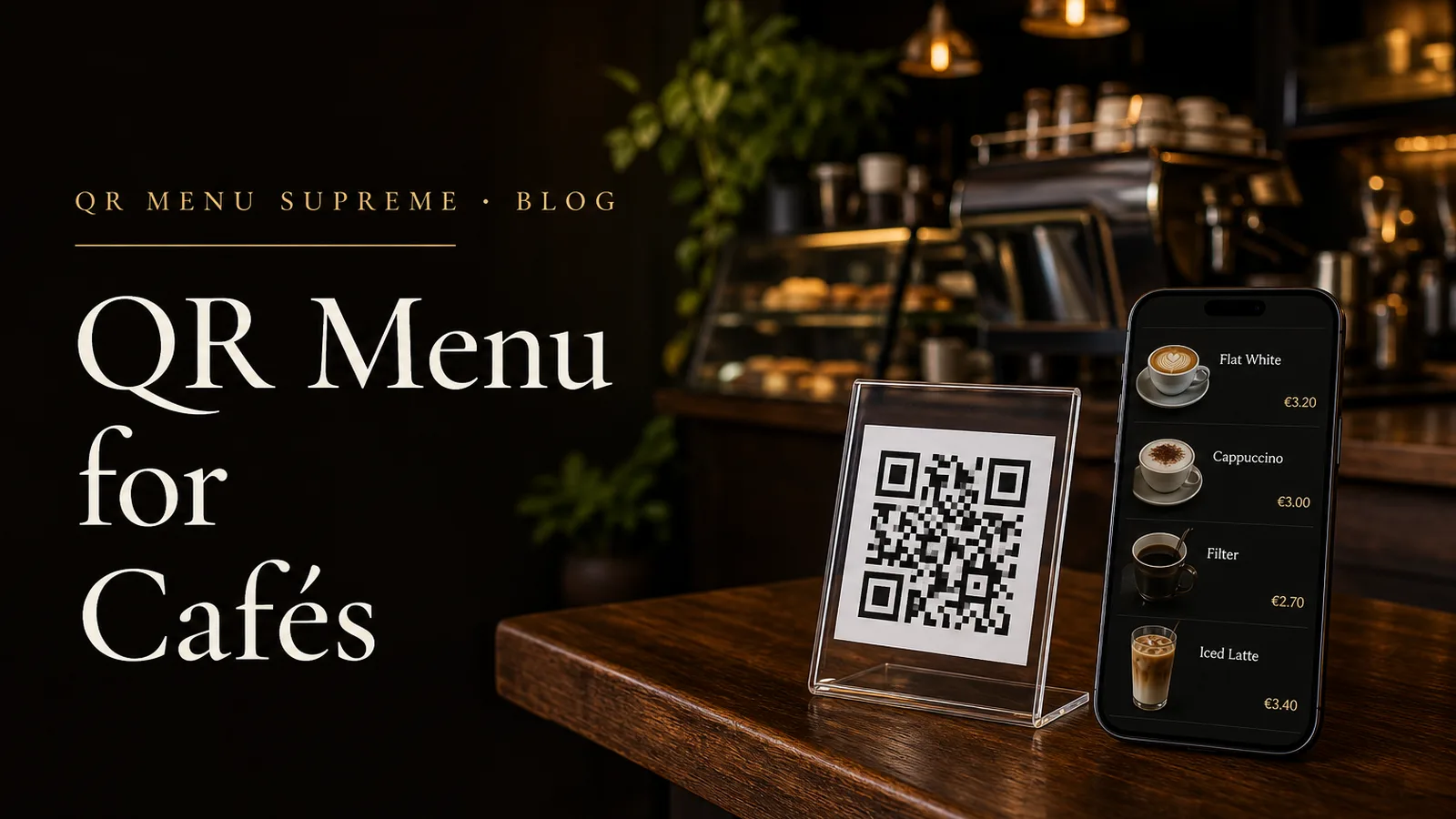
QR Menu for Cafés: What to Include and How to Set It Up
A Café Menu Is Read Standing Up
It is 8:40 on a weekday. Four people are in line. The board above the counter lists eleven drinks in chalk, and the person at the front cannot see the bottom two rows because the espresso machine's steam wand is in the way. Second in line, a guest is trying to work out whether the oat milk costs extra. Behind her, someone is scanning the pastry case for something without nuts and has already decided to ask, which will add thirty seconds to the queue.
None of this is a crisis. It is the ordinary friction of a café at capacity, and most of it is information friction rather than service friction.
This is the part that separates a café from a restaurant. In a restaurant, the guest sits down, is handed a menu, and reads it in relative comfort with a server nearby. In a café, the menu is consumed in a queue, at a counter, over a shoulder, or after the fact by someone already sitting with a laptop. The reading conditions are worse and the decision window is shorter.
A QR menu suits those conditions well, but only if it is built for them. A café menu copied from a restaurant template tends to fail in specific, predictable ways: drinks buried under a hero image, no milk options, no sizes, sold-out cakes still listed at four in the afternoon, and allergen information nowhere in sight.
This guide covers what a café QR menu should contain, how to organize it so it can be read in seconds, and how to set the whole thing up without a technical background.
Why a Café Is Not a Small Restaurant
The category is large and getting larger. World Coffee Portal's Project Café USA 2026 study counted 45,227 branded coffee shop outlets in the United States, with sales up 6.6% year on year, and that figure covers chains only. Independents sit outside the count. The National Coffee Association's autumn 2025 tracking put past-day coffee consumption among American adults at 66%, the highest level it had recorded in two decades.
The volume matters less than the shape of the transaction. Four structural differences change what a café menu has to do.
The order happens before the guest sits down. Menu reading and menu deciding are compressed into the time it takes to reach the till. Anything that takes more than a few seconds to find will not be found.
The product is a configuration, not a dish. A restaurant sells lamb shoulder. A café sells a flat white that might be single or double, oat or whole, decaf, extra hot, in a takeaway cup, with an extra shot. One line on a menu conceals a dozen decisions, each with a possible price consequence.
Turnover is high and repeat visits are frequent. The same guest may scan the same code twelve times a month. A menu that is out of date is not a one-off embarrassment; it is a pattern the regular learns to distrust.
The menu changes during the day and during the week. Breakfast ends. The cinnamon buns run out. The guest coffee changes on Monday. A printed board can be wiped and rewritten; a digital menu has to be updated with the same discipline.
Those four facts should drive every decision that follows.
What to Include in a Café QR Menu
1. Drinks, written the way people order them
The drinks list is the reason the menu exists, and it should be the first thing on screen. Not a photograph of the room, not a welcome paragraph, not the story of the roastery. Drinks.
Group them the way guests think about them rather than the way the bar is organized: espresso-based, filter and brew methods, iced and cold, tea and infusions, chocolate and non-coffee, then soft drinks. If you serve alcohol in the evening, that belongs in its own section rather than mixed in with cappuccinos.
Use the names guests actually say at the counter. If your regulars order a "flat white," call it a flat white, and put the house name in the description if you have one.
2. Sizes and prices, without asterisks
A café menu with a single price for a drink that comes in two sizes generates a question at the counter every time. Show each size with its own price, or show the base price and the exact upgrade cost.
The same applies to eat-in and takeaway pricing. Some cafés charge differently for the two, for tax reasons or by choice. If that is your policy, say which price the menu shows and what changes at the till. A guest who is surprised at payment remembers the surprise, not the coffee.
3. Milk options treated as real content
Milk is not a footnote in a modern café. World Coffee Portal reports that oat has become the leading non-dairy choice in UK coffee shops, used by more than a fifth of coffee shop customers, and that in Germany oat accounts for close to a tenth of most recent orders, while almond leads the non-dairy category in France and Turkey.
How the choice is presented also shapes what guests order. In a small 2026 study at Plymouth Marjon University, published in Global Environmental Psychology, making oat the default milk at a campus café raised plant-based milk's share of drinks from 16.6% to 51.9%, with dairy still available on request. One café, one experiment, but the direction is instructive: presentation is not neutral.
For the menu, three rules cover most situations. List every milk you actually carry. State the surcharge, if there is one, next to the option rather than in a line of small print. Remove options you have run out of, because "sorry, no oat today" lands better before the order than after it.
4. Food that attaches to a drink
Most café food is bought as an addition to a drink, which means it competes for a few seconds of attention. Keep descriptions to the ingredients that matter, and lead with what the item actually is: "Almond croissant, baked in-house" beats "Our beloved morning classic."
If the pastry case is the real menu, photograph the items once, in daylight, on a consistent background. Mixed lighting and inconsistent framing make a good café look careless, one of the recurring themes in our guide to QR menu mistakes restaurant owners should avoid.
5. Allergens and dietary information
Bakery items are exactly the products guests ask about most: nuts, gluten, dairy, eggs, sesame. If the answer lives only in a folder behind the counter, every question costs a barista thirty seconds during the morning peak.
Put the information on the item. Use one consistent vocabulary across the whole menu, provide a key if you use icons, and do not rely on color alone to carry meaning. Where products are made in a shared kitchen, say so plainly rather than implying a guarantee you cannot make.
6. Availability, updated during service
The sold-out cake is the single most visible failure in a café menu. It is also the easiest to prevent, because someone always knows.
Decide who marks items unavailable and when: typically the person at the counter, at the moment the last one is sold. A menu that can be edited from a phone in twenty seconds gets updated. A menu that requires a laptop in the back office does not.
7. Dayparts
If breakfast stops at 11:30 and cake starts at 14:00, the menu should reflect that rather than showing everything at once with time notes in brackets. Platforms that support multiple menus or time-based visibility handle this cleanly. If yours does not, keep a single menu and mark serving times consistently in one place.
8. The practical details guests ask for anyway
A café menu is often the only digital surface a guest touches, and it can quietly answer the questions that otherwise reach staff: opening hours, whether there is Wi-Fi and how to join it, whether you take cards, whether the terrace is dog-friendly, whether there are power sockets for people working.
None of this belongs at the top. All of it belongs somewhere, in a short section at the end.
9. Language
Cafés in tourist areas, transport hubs, and university districts serve guests who read the menu in a language other than the one on the board. A modern platform handles this without a second menu: on a first visit, the menu opens in the language set on the guest's phone or browser when that translation is available, falls back to the café's working language when it is not, and still lets the guest switch manually, with that choice remembered for later visits.
Accuracy still deserves a check. Drink names, brewing methods, and allergen wording are the places where automatic translation goes wrong most often. Our article on multilingual QR menus for restaurants covers what to review and in which languages.
A Structure That Works for Most Cafés
| Position | Section | Why it sits here |
|---|---|---|
| 1 | Coffee, espresso-based | The reason most guests scanned |
| 2 | Filter, brew methods, guest coffee | Reached quickly by the guests who care |
| 3 | Iced and cold drinks | Seasonal peaks; keep it easy to find |
| 4 | Tea, chocolate, non-coffee | Prevents a scroll through coffee for the non-drinker |
| 5 | Milk options and extras | Placed once, referenced by every drink |
| 6 | Pastries and cakes | The main attachment to a drink order |
| 7 | Breakfast and light food | Time-limited; can be hidden outside service hours |
| 8 | Soft drinks, bottled, alcohol | Lower frequency, still needed |
| 9 | Practical information | Hours, Wi-Fi, payment, takeaway policy |
The order matters more than the number of sections. A guest who has to scroll past a brunch menu to reach an espresso will do it once and use the board next time.
How to Set It Up
The mechanics are not complicated. Most of the work happens before you open a platform. The general process is covered step by step in our guide to creating a QR code menu; what follows is the café-specific version.
Step 1: Write the menu down before you type it in
Open a document and list every drink with every size and price, every milk with its surcharge, and every food item with its allergens. Include the items that live only in the pastry case and have never appeared on the board. This is the slowest part of the whole project and the reason café menus often ship with gaps.
Step 2: Choose a platform you can operate during service
The relevant test is not the feature list. It is whether the person on shift can mark the last carrot cake as sold out from a phone, in under a minute, without a manual.
Look for a visual editor, instant updates, mobile editing, automatic language detection with a manual switch, and a free plan you can evaluate before paying. Our comparison of QR menu software for small businesses without a tech team works through the options, and the checklist in what to look for in a digital menu system covers the questions worth asking a vendor.
If your current menu is a PDF, do not upload it. Rebuild it as structured content, for the reasons set out in our guide to replacing a PDF menu with a real digital menu.
If ordering at the table is on your roadmap for the terrace or the evening shift, check how the platform charges for it before you commit. The difference between a platform commission and a card-processing fee is explained in our guide to online ordering without platform commissions.
Step 3: Build the drinks section first, then test it on a phone
Enter the coffee section, generate a preview, and open it on an actual phone held at arm's length in the light of your own room. Not on a desktop monitor. If the espresso list requires a scroll before anything readable appears, the layout is wrong, not the phone.
Step 4: Generate the code and decide where it lives
A café needs codes in more than one place, because guests read the menu at more than one moment.
In the queue. A small standing card or a window decal near the door lets people decide before they reach the till. This is the placement most cafés forget, and the one that shortens the queue.
At the counter. Next to the till, where the milk question is being asked.
On the tables. For seated guests, second rounds, and allergen checks.
On takeaway material. A code on a loyalty card or a bag sticker reaches the guest who is already out the door.
Print one sample first and scan it under your own lighting, at the angle a guest holds a phone. Matte stock beats glossy under downlights. Add one instruction line, no longer than "Scan for our full menu."
If you intend to add table ordering later, note that each table will normally need its own code so orders can be identified. Plan the numbering before you print.
Step 5: Brief the team in five minutes
Staff should know what the menu shows, that it opens in the guest's device language on a first visit, how to change the language if asked, who marks items sold out, and where the printed copies are kept. Give them one sentence to offer it with: "There's a full menu on the code if you want to check the milk options or the allergens."
Step 6: Keep the board
A QR menu does not replace the chalkboard, and it should not try to. The board sells the guest coffee and the special. The digital menu carries the detail the board cannot hold: every price, every allergen, every language. Our article on running a QR menu alongside printed menus makes the same case for restaurants, and it applies with more force in a café.
Café Menu Against Restaurant Menu
| Requirement | Restaurant | Café |
|---|---|---|
| Where the menu is read | Seated, at the table | In a queue, at the counter, or after ordering |
| Time to decide | Several minutes | Seconds |
| Core content | Dishes with descriptions | Drinks with sizes, milks, and extras |
| Most common question | Allergens in a dish | Milk options, size, and surcharge |
| Update frequency | Daily specials | Sold-out items during service |
| Photography | Selected dishes | Pastry case, shot consistently |
| Menu changes by hour | Lunch and dinner | Breakfast, lunch, cake, evening |
| Code placement | Table | Queue, counter, table, takeaway |
| Printed counterpart | Printed menu | Chalkboard above the counter |
A Two-Minute Check Before Opening
- Scan one code with a phone that is not logged into the platform
- Confirm the drinks section appears first and loads over mobile data, not just Wi-Fi
- Check yesterday's sold-out items have been switched back on
- Confirm the guest coffee and any seasonal drink are current
- Check the milk list matches what is actually in the fridge
- Look at the counter and window cards for spills, scratches, and glare
Repeat a fuller test whenever you change platform, URL, or printed material. Codes that have been in the window for six months are the ones nobody thinks to scan.
Frequently Asked Questions
What should a café QR menu include at a minimum?
Drinks with sizes and prices, milk options and any surcharge, food with allergen and dietary information, a clear signal for items that are sold out, and the practical details guests ask for anyway: opening hours, Wi-Fi access, and whether takeaway prices differ.
Should the QR code go on the tables or at the counter?
Both, for different moments. A code in the queue or at the counter helps guests decide before they order. A code on the table serves guests who are already seated, want a second round, or need to check an allergen without standing up again.
Do café guests use a QR menu when there is already a board above the counter?
The board works for a guest standing under it. It does not work for a seated guest, a guest at the back of the queue, someone reading in another language, or anyone checking allergens. A QR menu covers the moments the board cannot.
How should milk surcharges be displayed?
On the drink itself or as a clearly labelled option, never in small print at the bottom of the page. A guest who discovers an oat surcharge at the till has learned it in the worst possible place, and the barista has to defend it.
How long does it take to set up a QR menu for a café?
A drinks-led café menu without photos usually takes one to two hours to enter and test. Cafés with a full brunch menu, cakes, and photography should plan for an afternoon.
Conclusion
A café QR menu earns its place by removing questions from the counter. Which sizes exist. What the oat costs. Whether the almond croissant contains nuts. Whether there is anything left in the case at four o'clock. Every one of those answers, delivered before the guest reaches the till, is time the barista spends making coffee instead of explaining the menu.
The build itself is an afternoon of work, most of it spent writing down prices and allergens that were never fully written down before. The discipline afterwards is smaller than it looks: mark things sold out when they sell out, and check the code still scans.
Keep the board. Keep a couple of printed copies for the guest who wants one. The digital menu is there for everything the wall cannot hold, in every language your guests happen to read.
QR Menu Supreme's QR menu builder lets a café build a mobile-first menu, generate a QR code, and test the guest experience on a free plan. Start with the drinks section alone, scan it from the end of your own queue, and see how many counter questions it removes before you add anything else.
See a live QR menu in 10 seconds
Browse the showcase demo restaurant, built with QR Menu Supreme.